Show your Power BI reports and dashboards on your screens. You can add a public report from its Publish to web link, or a protected report by signing in with your Microsoft account.
Public Reports
A public report opens from a public link, with no Microsoft sign-in.
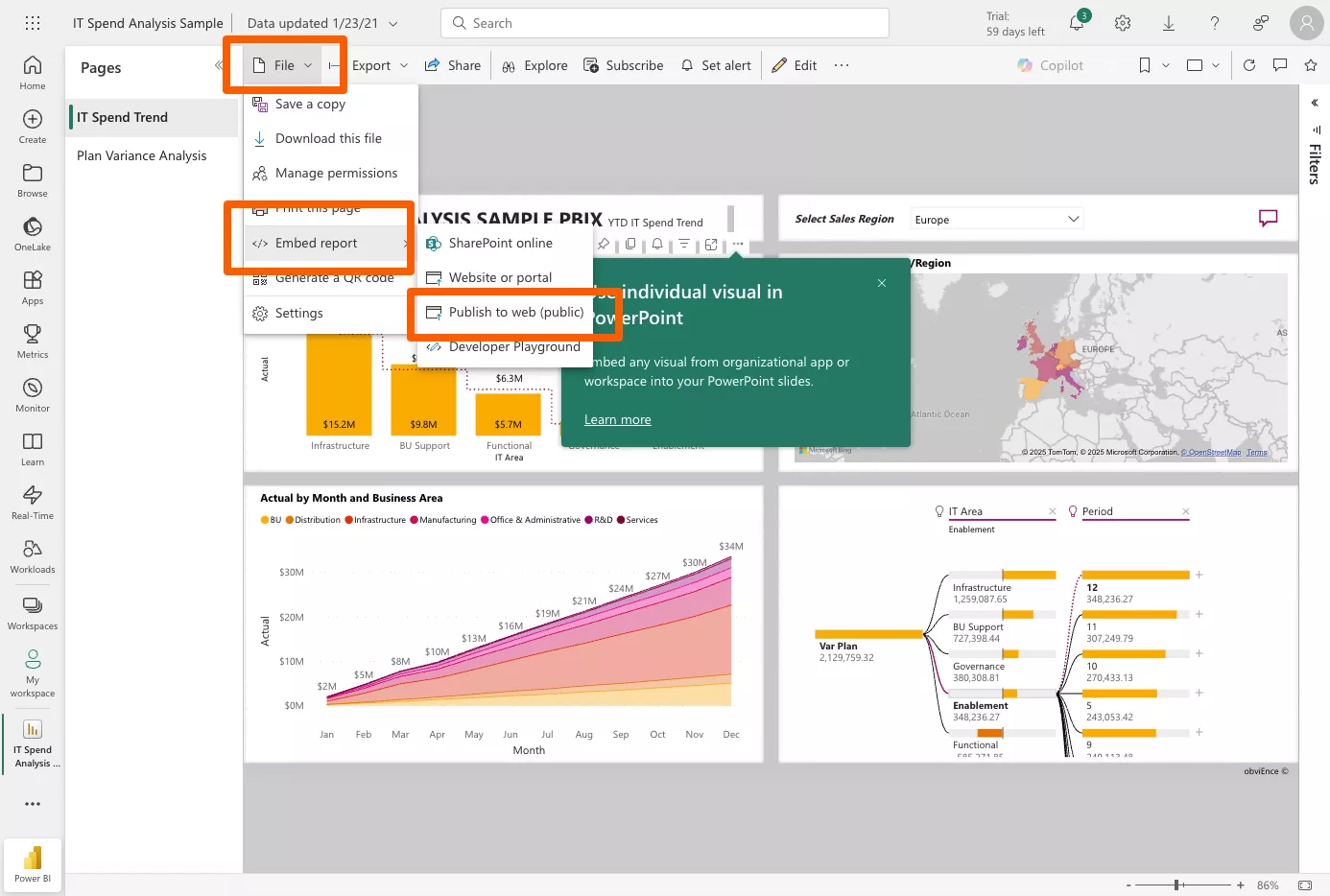
- Open your report in Power BI and click File > Embed report > Publish to web (public).
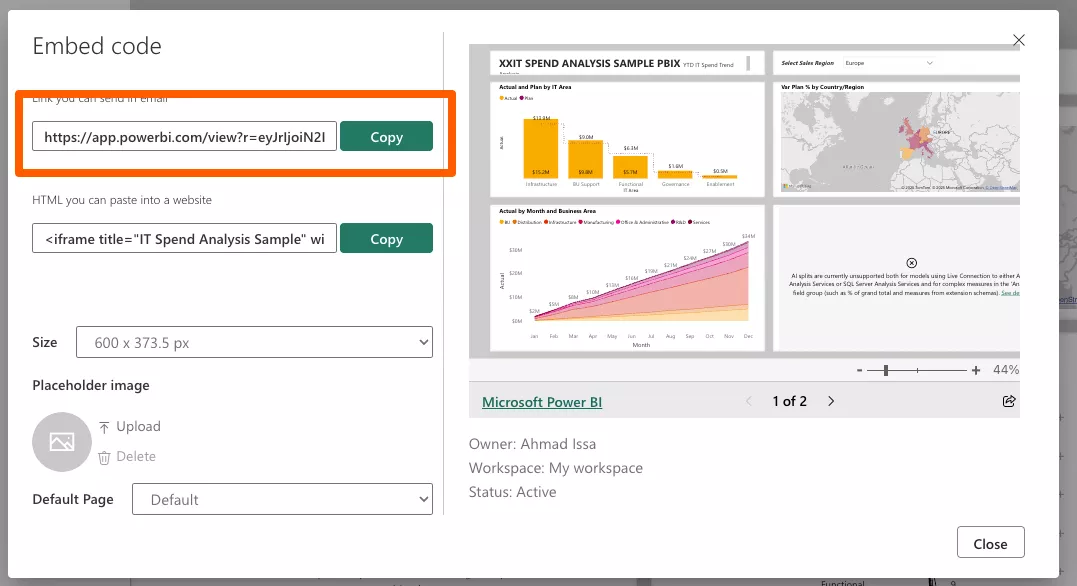
- Copy the link. It looks like
https://app.powerbi.com/view?r=....
- In the CMS, open the playlist and click the layer. See Playlist Media Management. If the layer already has media, click Add New.
- Click business Intelligence, then Power BI.

- Paste the link in Enter URL.
- Tick Public Dashboard.
- Set Refresh rate (minutes): how often the screen reloads the report’s data, from 15 to 80 minutes (60 by default).
- Click Save, then Publish changes of this playlist.
Protected Reports
A protected report needs a Microsoft sign-in, so only people you allow can see it.
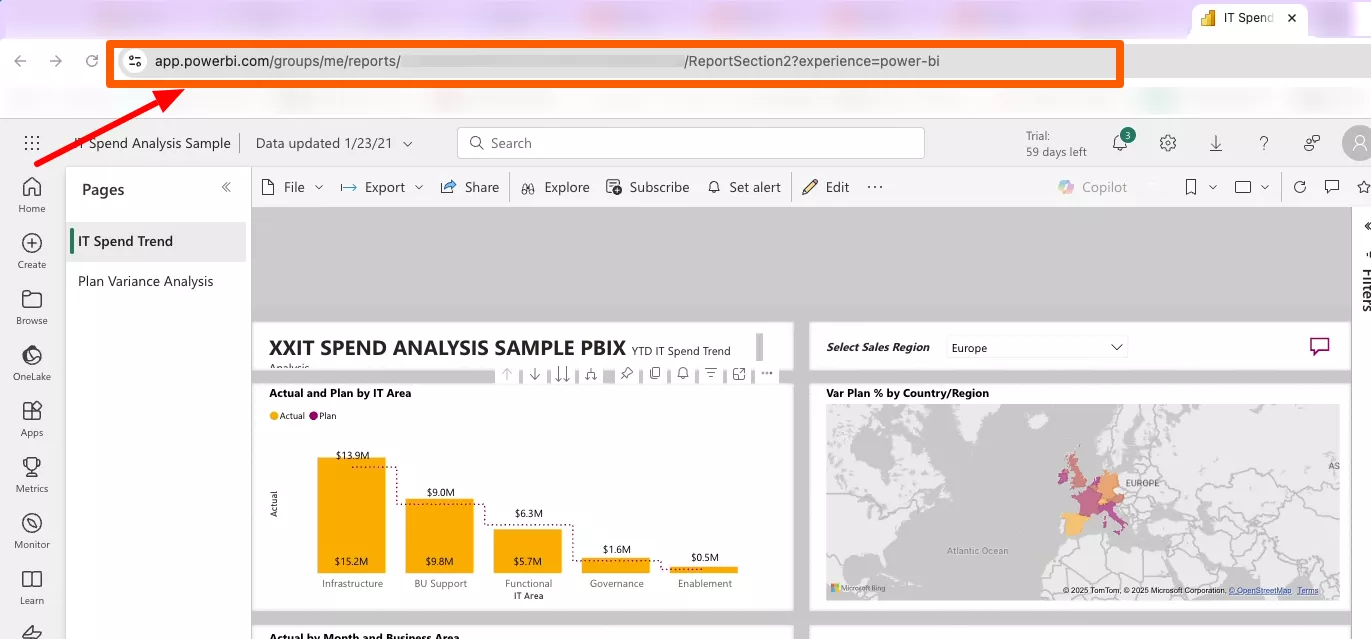
- Open your report in Power BI and copy the address from your browser. It looks like
https://app.powerbi.com/groups/.../reports/.../ReportSection....
- Add Power BI to the layer as for public reports, and paste the address in Enter URL. Leave Public Dashboard unticked.
- Click Add/Refresh account and sign in with your Microsoft account. This gives the app read-only access to your reports.
- Make sure your account is selected in Account.
- Set the Refresh rate (minutes), then click Save and Publish changes of this playlist.
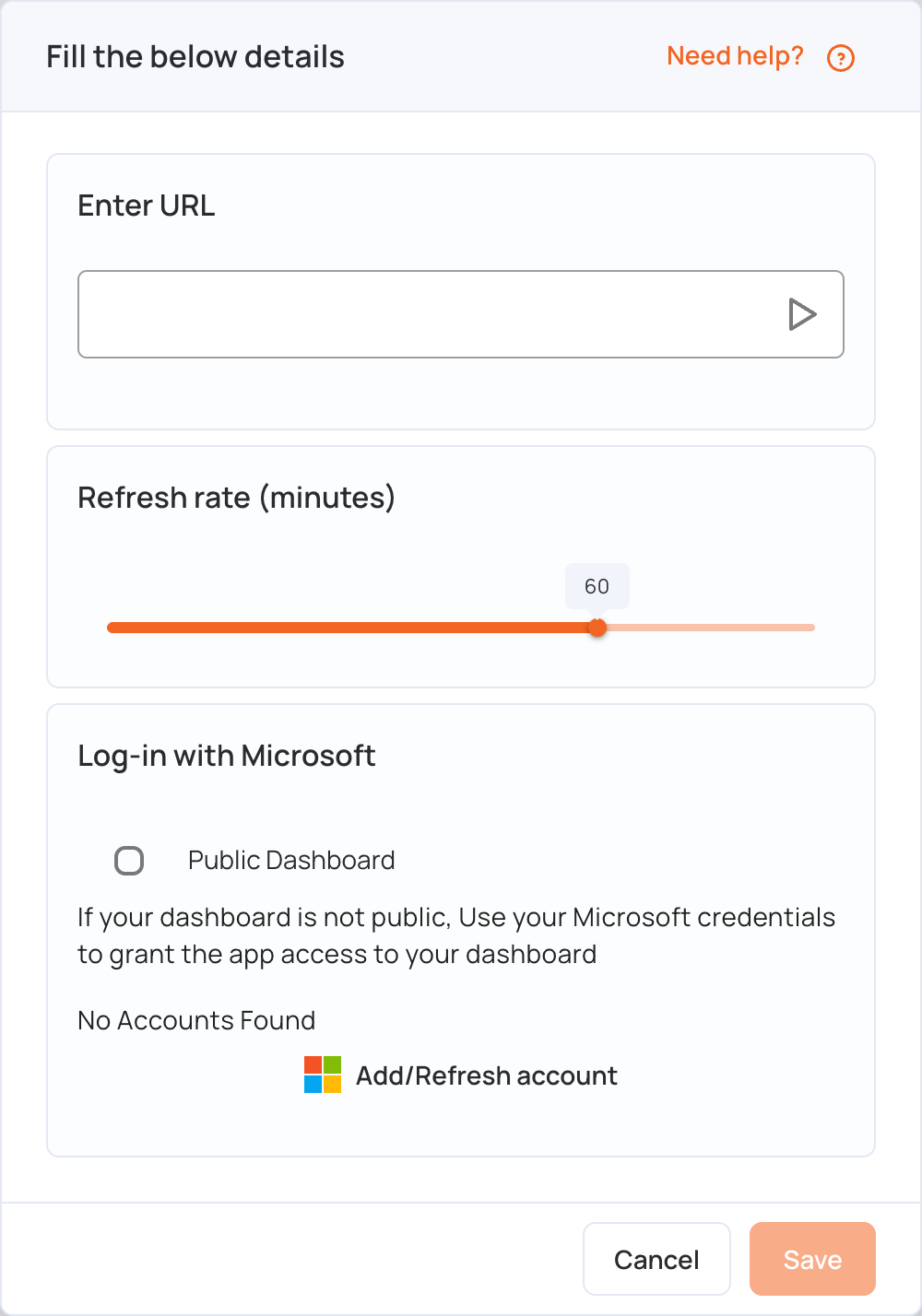
You can add several Microsoft accounts to show reports from different Power BI workspaces. To remove one, choose it in Account and click the remove link under Add/Refresh account.
How Microsoft Sign-In Keeps Your Data Secure
- Long-life token: when you sign in, Microsoft returns a long-life token (a refresh token). It is encrypted and stored securely, and is never shared with users or sent to screens.
- Short-life access token: the system uses the refresh token to get an access token that is valid for only one hour. Only this access token is sent to the screens to show the report.
- Renewal: screens request a new access token every hour, so the report keeps updating.