PosterMyWall is an online design tool with thousands of ready-made templates for images and videos. Show a PosterMyWall design on your screens; when you publish changes in PosterMyWall, your screens show them at the next refresh.
Copy the Embed Code from PosterMyWall
- Open your design in PosterMyWall.
- Click Publish at the top right.
- Choose Embed in Webpage.
- Click Copy code.
Add PosterMyWall to a Playlist
- Open the playlist, then click the layer. See Playlist Media Management.
- If the layer is empty, the content apps open. If it already has media, click Add New.
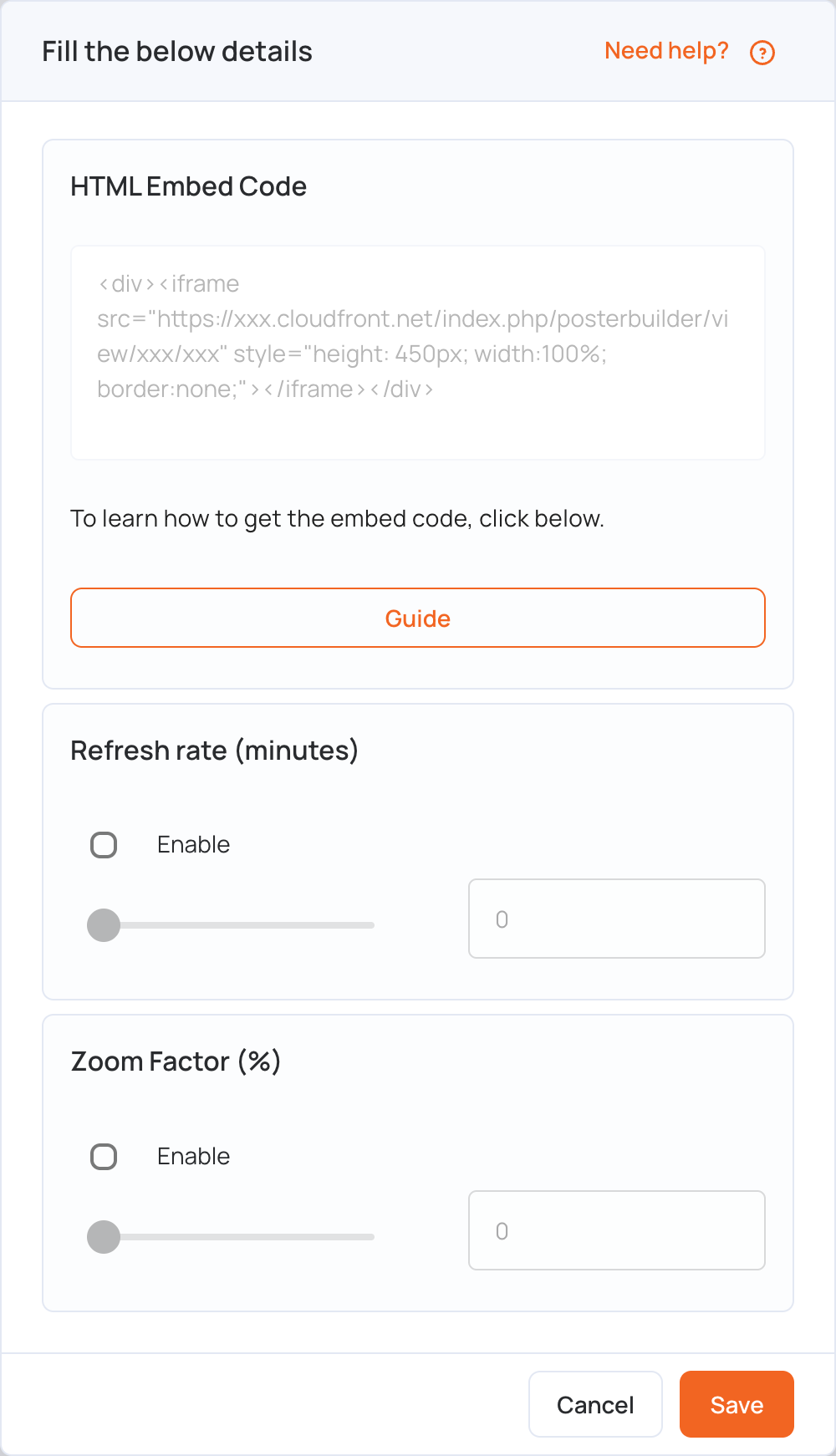
- Click General Apps, then postermywall.

- Paste the code in HTML Embed Code.
- Optional settings:
- Refresh rate (minutes): tick Enable and set how often the screen reloads the design (up to 90 minutes).
- Zoom Factor (%): tick Enable and set the zoom (up to 200%) to fit the design to your screen.
- Click Save.
- Click Publish changes of this playlist to send it to your screens.
Note: After you change your design, click Save and then publish the design again in PosterMyWall. Your screens only show the changes once they are published there, at the next refresh. The screen needs an internet connection to show the design.