Notion is a workspace for notes, documents, databases and project tracking. Show a published Notion page on your screens, such as a team board, a schedule or a notice page. When you edit the page in Notion, your screens show the changes at the next refresh.
Copy the Embed Code from Notion
- Open the page in Notion.
- Click Share at the top right, then open the Publish tab.
- Click Publish.
- Click Embed this page, then Copy code.
Add Notion to a Playlist
- Open the playlist, then click the layer. See Playlist Media Management.
- If the layer is empty, the content apps open. If it already has media, click Add New.
- Click General Apps, then notion.

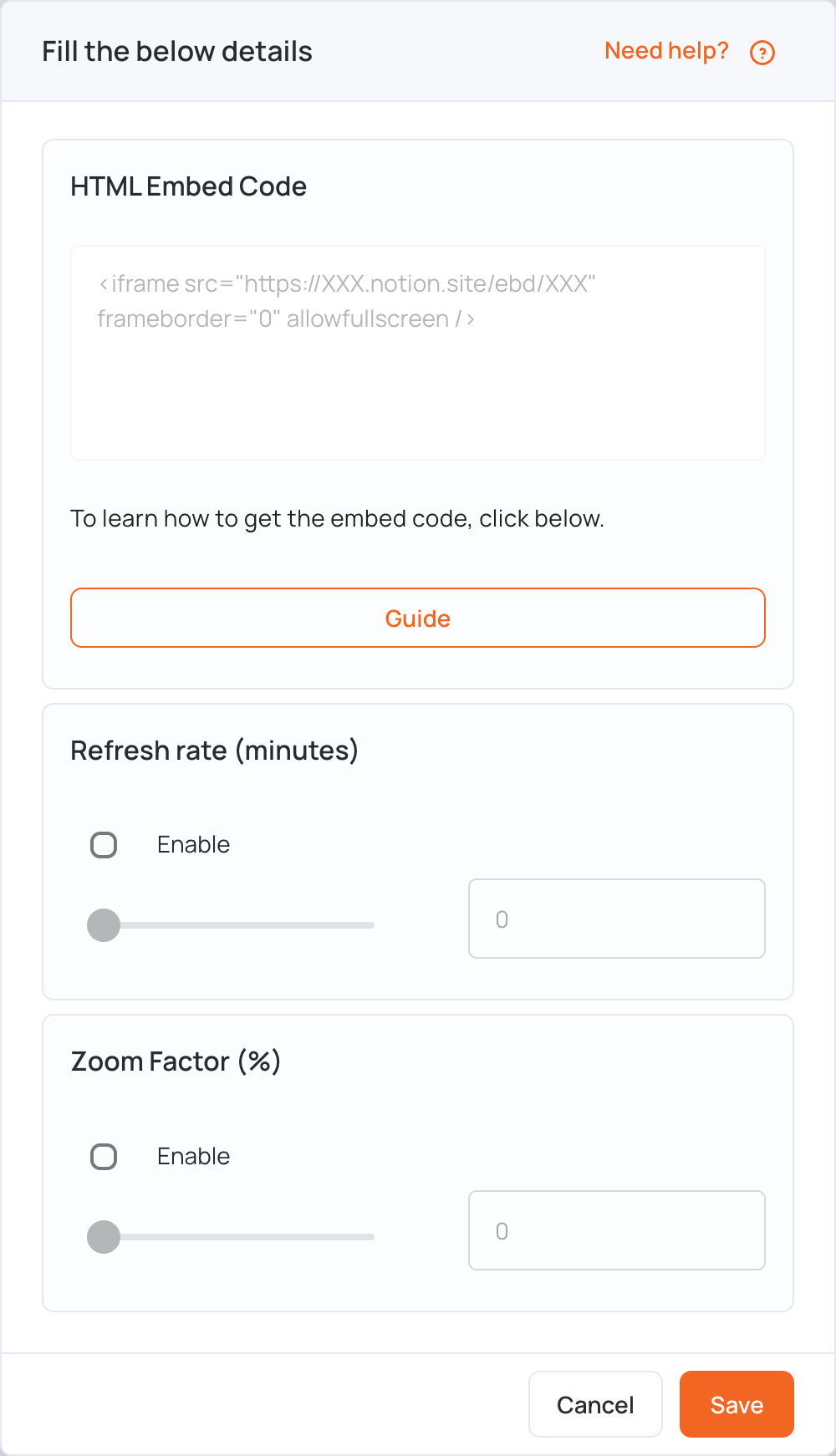
- Paste the code in HTML Embed Code.
- Optional settings:
- Refresh rate (minutes): tick Enable and set how often the screen reloads the page (up to 90 minutes).
- Zoom Factor (%): tick Enable and set the zoom (up to 200%) to fit the page to your screen.
- Click Save.
- Click Publish changes of this playlist to send it to your screens.
Note: The screen needs an internet connection to show the page.