Show a Google Sheets spreadsheet on your screens. Edits you make to the sheet show on your screens too.
Publish the Sheet in Google Sheets
- Open the spreadsheet in Google Sheets.
- Click File > Share > Publish to web.
- Choose the sheet to publish, click Publish, then OK.
- Copy the link. It looks like
https://docs.google.com/spreadsheets/d/e/.../pubhtml.
Add Google Sheets to a Playlist
- Open the playlist, then click the layer. See Playlist Media Management.
- If the layer is empty, the content apps open. If it already has media, click Add New.
- Click Google Apps, then Google Sheets.

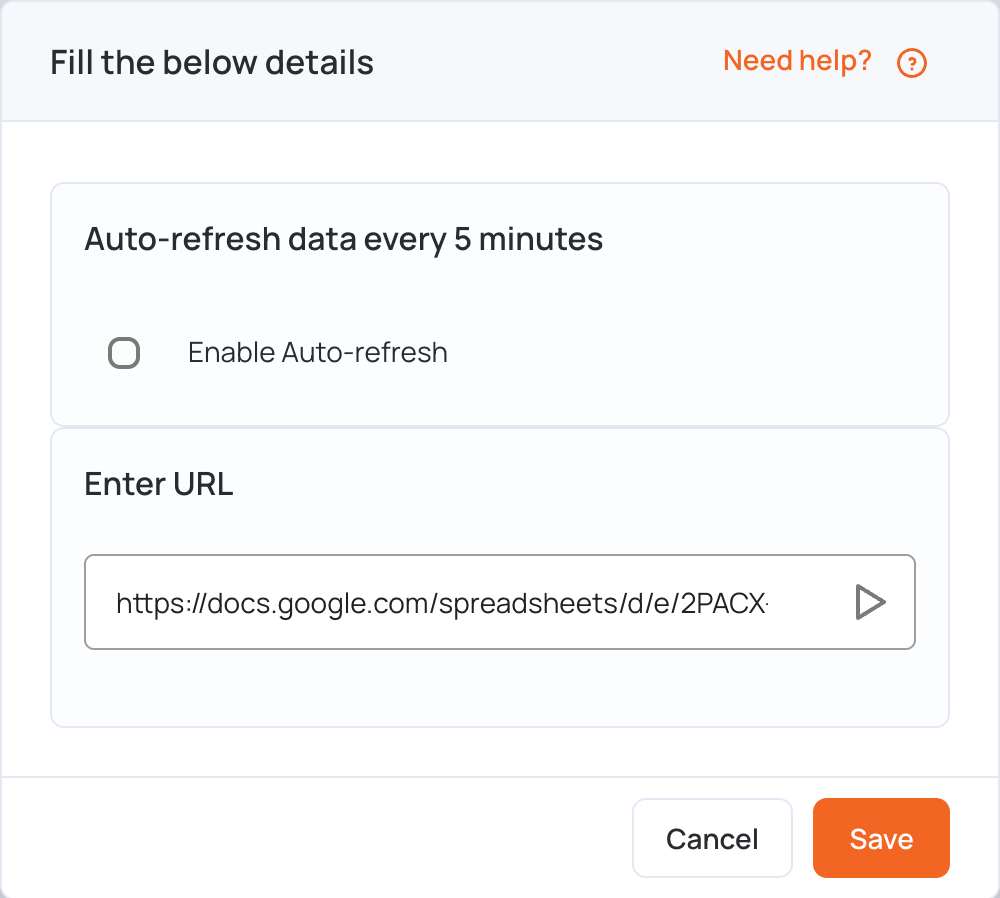
- In Enter URL, replace the sample link with your sheet’s link.
- Optional: tick Enable Auto-refresh so the screen reloads the sheet regularly and shows the latest data.
- Click Save.
- Click Publish changes of this playlist to send it to your screens.
Note: Google Sheets needs a modern browser engine (JavaScript ES6 or later) to function properly. These players only support ES5 and may not show Google Sheets correctly:
- Samsung Tizen 4.0
- LG webOS 4.0
- Android 5, 6 and 7