DsMenu is a simple, affordable tool for designing digital menu boards from ready-made templates. It suits restaurants, cafés, retail promotions, events and more.
Get Your DsMenu Link
- Create a DsMenu account, choose a template and edit your menu.
- Save and publish the menu.
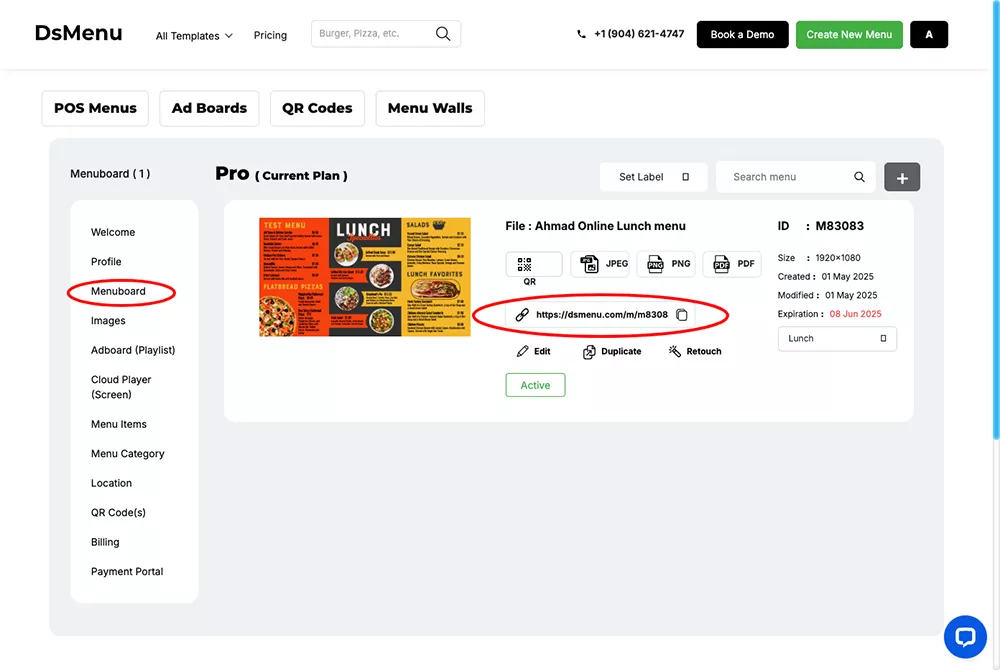
- In DsMenu, open Menuboard and copy the menu’s link. It looks like
https://dsmenu.com/m/....
Add DsMenu to a Playlist
- Open the playlist, then click the layer. See Playlist Media Management.
- If the layer is empty, the content apps open. If it already has media, click Add New.
- Click General Apps, then dsMenu.

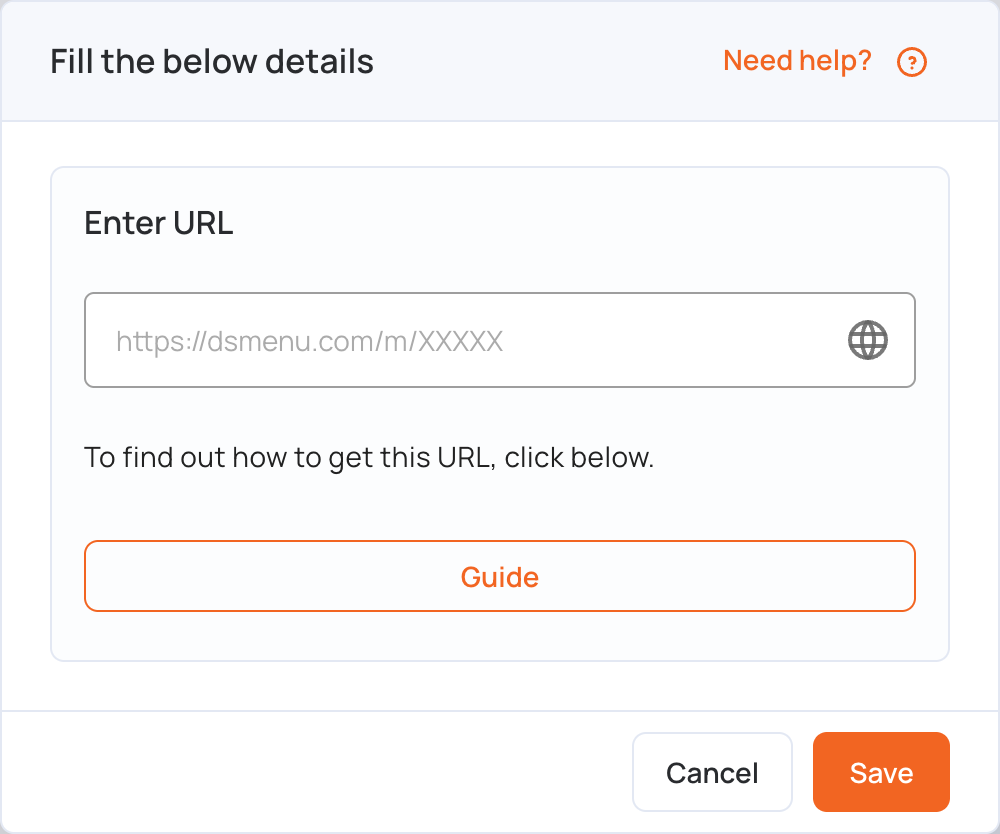
- In Enter URL, paste your DsMenu link.
- Click Save.
- Click Publish changes of this playlist to send the menu to your screens.