Use the Custom Ticker app to scroll your own messages, such as news, offers or announcements, along a strip of the screen.
Note: Text tickers are only offered for the ticker layer of a built-in layout, for example the 1920 x 120 bottom layer of Layout 3. They are not offered once you resize the layer with Edit Layout.
How to Add a Custom Ticker
- Open the playlist, then click the ticker layer. See Playlist Media Management.
- If the layer is empty, the content apps open. If it already has media, click Add New.
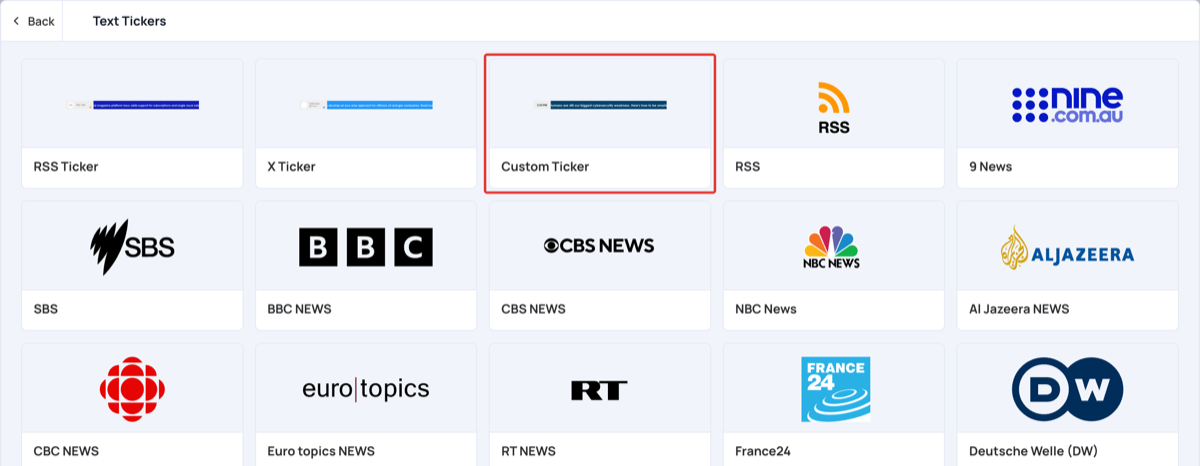
- Click Text Tickers, then Custom Ticker.
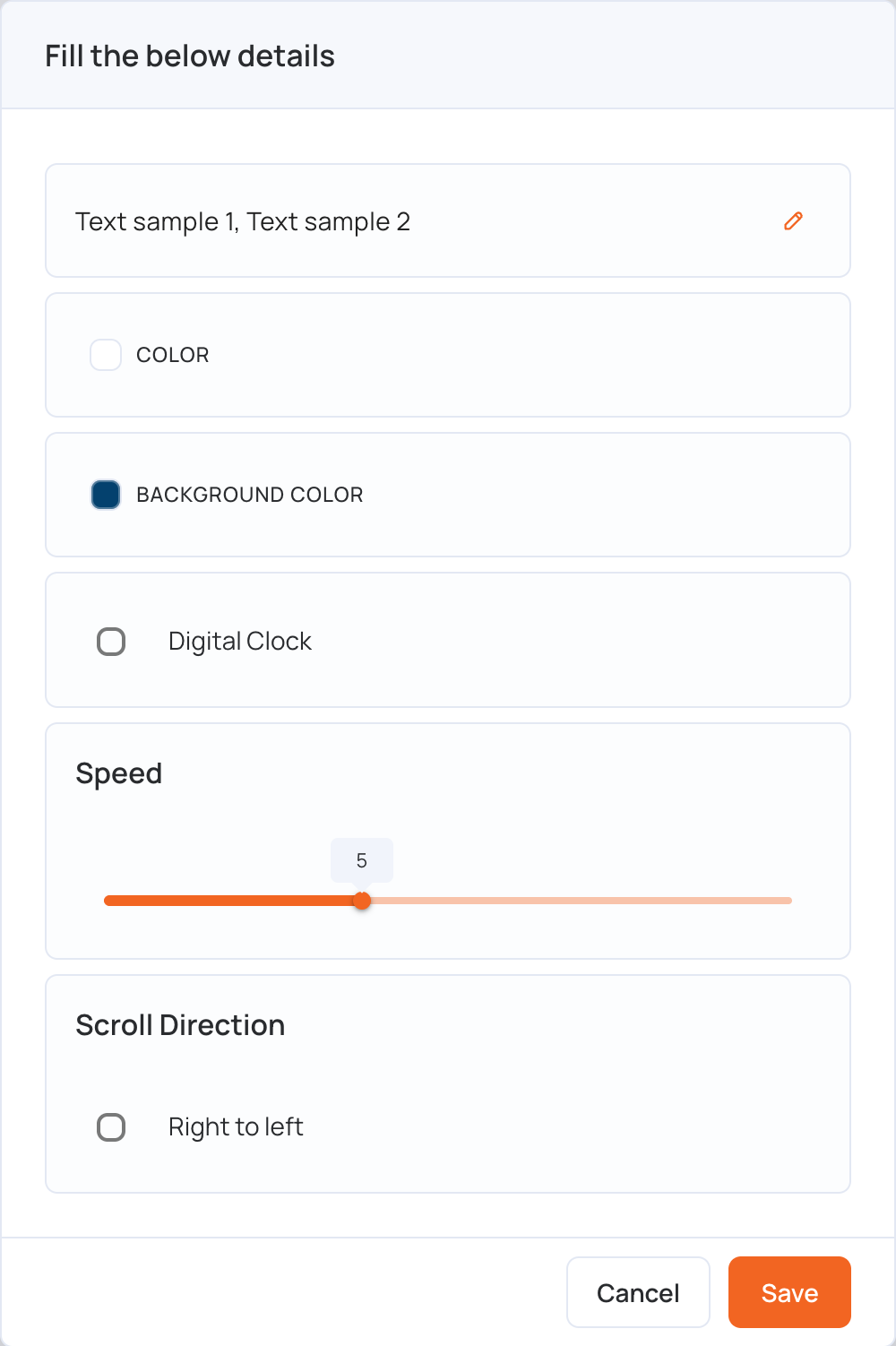
- The Fill the below details window opens. Click the pencil icon next to the sample text to edit your messages.
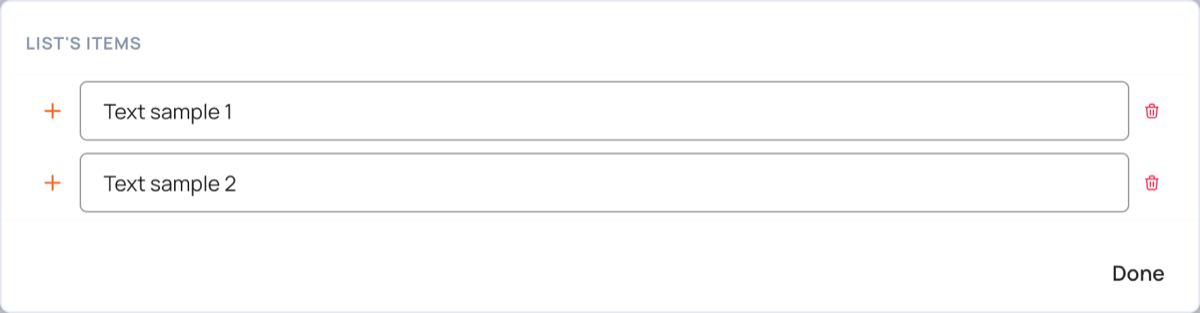
- Type one message in each box. Click + to add a message after it, or the trash icon to remove one. Then click Done.
- Set the other options:
- Color: the text color
- Background Color: the color of the ticker strip
- Digital Clock: shows the time at the start of the ticker
- Speed: from 2 (slowest) to 10 (fastest)
- Scroll Direction: tick Right to left to change the direction the text scrolls
- Click Save.
- Click Publish changes of this playlist to send the ticker to your screens.
To change the messages later, click Edit next to the ticker in the layer.